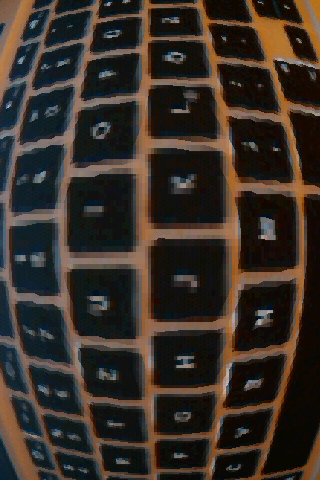
Since we are currently working on some augmented reality stuff for Android I need to show the camera image using OpenGL ES. It works great with pure Java if one uses only the grayscale image. However, I needed the color image. The G1’s camera delivers the image in a YUV format while OpenGL only understand RGB images. Unfortunately it is out of question to convert the YUV image to RGB in pure Java for images with 480×320 pixels. Thus, I used the NDK to implement the conversion. The code below does the job. It is based on code provided by Tom Gibara.
void toRGB565(unsigned short *yuvs, int widthIn, int heightIn, unsigned int *rgbs, int widthOut, int heightOut) {
  int half_widthIn = widthIn >> 1;

  //the end of the luminance data
  int lumEnd = (widthIn * heightIn) >> 1;
  //points to the next luminance value pair
  int lumPtr = 0;
  //points to the next chromiance value pair
  int chrPtr = lumEnd;
  //the end of the current luminance scanline
  int lineEnd = half_widthIn;

  int x,y;
  for (y=0;y> 1;
    for (x=0;x> 8) & 0xff;
      Y1 = Y1 & 0xff;
      int Cr = yuvs[chrPtr++];
      int Cb = ((Cr >> 8) & 0xff) - 128;
      Cr = (Cr & 0xff) - 128;

      int R, G, B;
      //generate first RGB components
      B = Y1 + ((454 * Cb) >> 8);
      if (B < 0) B = 0; if (B > 255) B = 255;
      G = Y1 - ((88 * Cb + 183 * Cr) >> 8);
      if (G < 0) G = 0; if (G > 255) G = 255;
      R = Y1 + ((359 * Cr) >> 8);
      if (R < 0) R = 0; if (R > 255) R = 255;
      int val = ((R & 0xf8) << 8) | ((G & 0xfc) << 3) | (B >> 3);

      //generate second RGB components
      B = Y1 + ((454 * Cb) >> 8);
      if (B < 0) B = 0; if (B > 255) B = 255;
      G = Y1 - ((88 * Cb + 183 * Cr) >> 8);
      if (G < 0) G = 0; if (G > 255) G = 255;
      R = Y1 + ((359 * Cr) >> 8);
      if (R < 0) R = 0; if (R > 255) R = 255;
      rgbs[yPosOut+x] = val | ((((R & 0xf8) << 8) | ((G & 0xfc) << 3) | (B >> 3)) << 16);
    }
    //skip back to the start of the chromiance values when necessary
    chrPtr = lumEnd + ((lumPtr  >> 1) / half_widthIn) * half_widthIn;
    lineEnd += half_widthIn;
  }
}
The code is not that optimized at the moment but can process a 480×320 image in ~25ms on my G1 (which is somewhat slow according to my student’s comments). In order to call this function from Java I needed a wrapper with a JNI signature:
/**
 * Converts the input image from YUV to a RGB 5_6_5 image.
 * The size of the output buffer must be at least the size of the input image.
 */
JNIEXPORT void JNICALL Java_de_offis_magic_core_NativeWrapper_image2TextureColor
  (JNIEnv *env, jclass clazz,
  jbyteArray imageIn, jint widthIn, jint heightIn,
  jobject imageOut, jint widthOut, jint heightOut,
  jint filter) {

	jbyte *cImageIn = (*env)->GetByteArrayElements(env, imageIn, NULL);
	jbyte *cImageOut = (jbyte*)(*env)->GetDirectBufferAddress(env, imageOut);


	toRGB565((unsigned short*)cImageIn, widthIn, heightIn, (unsigned int*)cImageOut, widthOut, heightOut);

	(*env)->ReleaseByteArrayElements(env, imageIn, cImageIn, JNI_ABORT);
}
To make it more interesting I added some filter to the camera image. There is a demo app in the market (direct link to the market). I tried to make the whole thing portable but would love to know if it works on other devices like the Motorola Milestone.